
The repair is finished, the floor is swept and the tools are back in the truck. The customer has checked the work, so you tell them you’ll send the invoice that evening.
On the way home, you stop for supplies and take a call about tomorrow’s job. Later, with several visits running together in your head, you can’t quite remember whether the extra fitting was included in the estimate or approved separately.
Getting the invoice ready before you leave gives you a chance to settle those details while the work is in front of you. A short routine at the end of the visit can save a much longer search through messages later.
Check the work against the estimate
Open the agreed work description before packing everything away. Check which items you’ve finished and whether anything changed during the visit. The customer may have dropped one repair or supplied a part you’d originally allowed for in the price.
If something remains unfinished, explain what happens next. A replacement part may still be on order, or a repaired surface may need time to dry before you return. Keep that work separate from the items you’re billing for now so the customer can follow the charges.
This is also the time to check any extras. Find the approval message or job note while you still remember the conversation. It is much easier to correct a missing item here than after the customer receives a bill they weren’t expecting.
Give the customer a proper handover
Show the customer what you’ve done. Close the repaired gate, open the adjusted cabinet door and explain any care instructions that matter. They can check the result and ask questions while you’re there to answer them.
If the customer is away, agree how you’ll let them know the job is finished. A short message naming the repair, with useful photos where appropriate, gives them more to go on than “all done.”
There may be a reason for a changed fitting that isn’t obvious in a photograph. Explain it while you have the old part to hand. A brief note now can save both of you trying to reconstruct the decision several days later.
Write descriptions the customer can check
An invoice needs to make sense after the conversation has been forgotten. “Replace damaged gate latch and adjust closing position” tells the customer what the charge covers. “Labor and parts” leaves them to remember the rest.
Give unrelated repairs their own lines. You don’t need to list every screw, but combining three different jobs into one vague charge makes the bill harder to check. Describe approved additions clearly instead of folding them into another item.
Before sending, read the descriptions as someone who wasn’t at the property. Could a landlord or accounts clerk understand what was supplied and finished? Add the missing detail if they would need to call you to find out.
Carry the job details through to the invoice
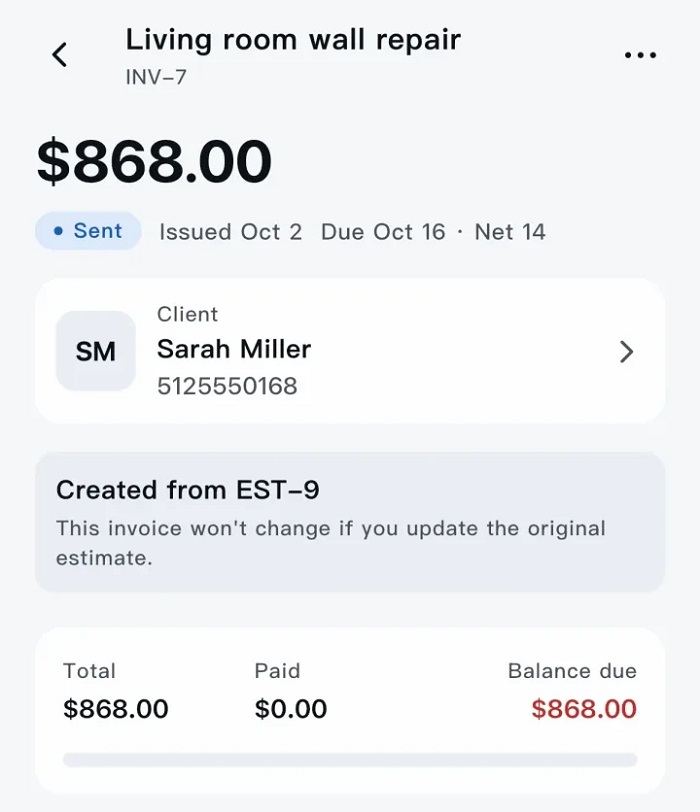
Once the work is recorded properly, you shouldn’t have to write the whole thing out again. Scope allows approved work to become a job and an invoice without re-entering the same details. Its contractor invoice app gives tradespeople a way to handle that paperwork from their phones.
Check the invoice against the finished work even when the details have carried through. Look at the customer, quantities and agreed changes. Remove anything that was cancelled during the visit and check any parts supplied by the customer.
Then confirm who should receive it. In a rental property, the tenant might show you the problem and check the repair while the landlord handles payment. Use the recipient and property reference you’ve agreed with the landlord, and describe the work clearly enough for them to understand it without calling the tenant.
Some customers also need a purchase order number or job reference. Ask before sending, and check the email address while their details are open. If the message comes back undelivered, deal with it then rather than leaving the invoice sitting in drafts.
Leave with a clear payment record
Confirm the payment arrangement once the customer has checked the invoice. If they pay part of the amount, tell them what remains. If payment is due later, make sure the due date is clear to both of you.
Scope records cash, checks and bank transfers, including partial payments. Its beta doesn’t process cards, so card collection needs a separate arrangement. Check that you’re on the correct invoice before recording a payment, and wait until a promised transfer has arrived before marking it as received.
If there’s a query, note the actual issue and the next action. “Customer querying replacement fitting; send approval message” gives you something useful to follow up. “Call customer” doesn’t tell you what needs sorting out.
Before you drive away, check that the invoice has been sent and that any remaining action is recorded. You’ll know which jobs are closed, which payments you’re waiting for and what needs your attention tomorrow.